Welcome to Planova
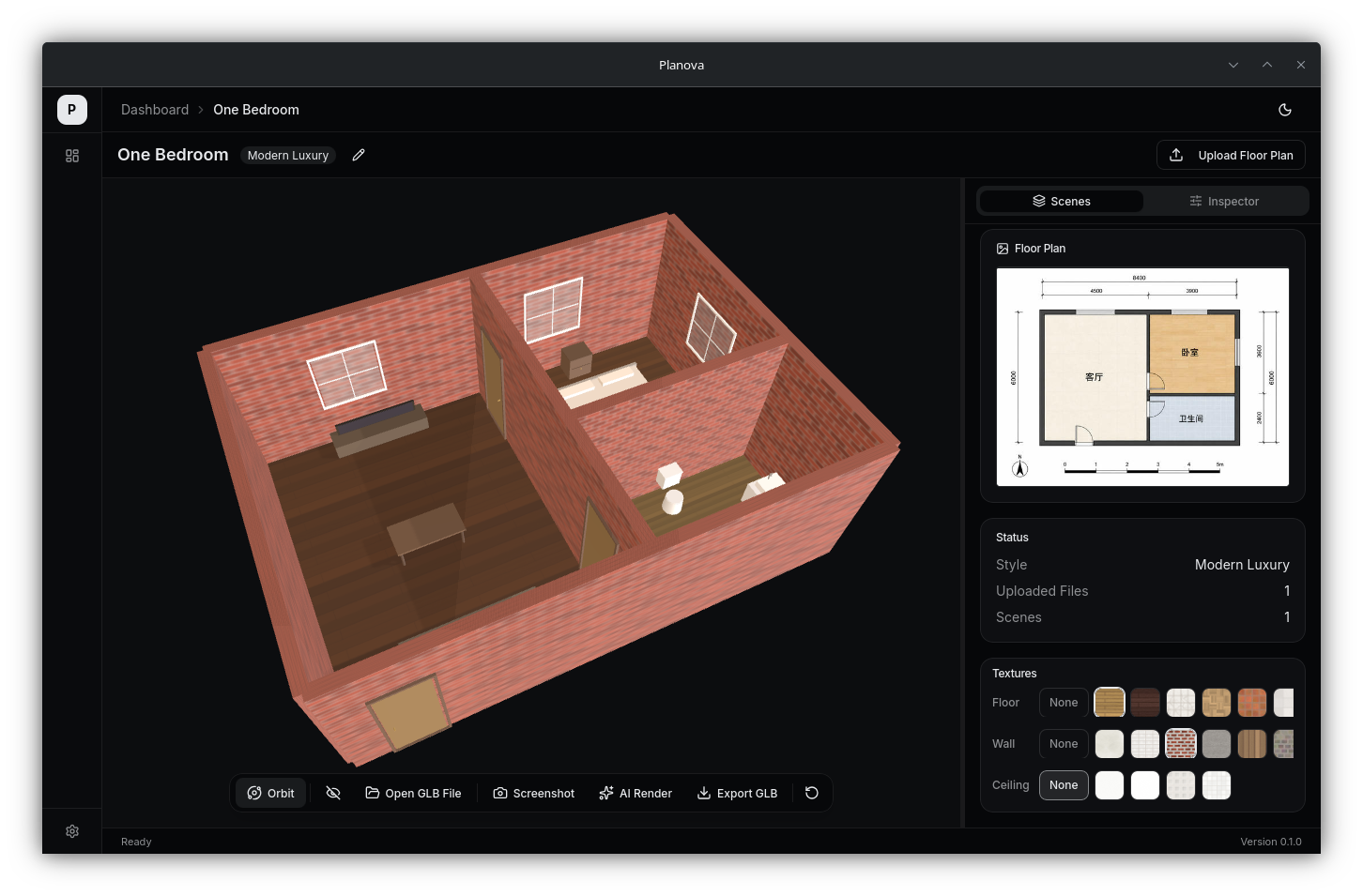
Planova is a desktop application that converts 2D floor plan images into walkable 3D interior scenes using AI. Upload a JPG, PNG, or PDF floor plan and get a fully furnished, textured 3D model you can walk through, edit, and export.
Features
- Floor Plan Parsing -- AI vision models extract room boundaries, walls, doors, and windows from your image
- Auto Furniture Placement -- LLM-powered furniture planning that matches your chosen interior style
- 3D Viewer -- Orbit, walk-through, and edit modes for exploring your scene
- Scene Inspector -- Review parse quality scores and debug overlays before finalizing
- Style Presets -- Six built-in styles: Modern Luxury, Cream, Nordic, New Chinese, Wabi-Sabi, Industrial
- AI Rendering -- Generate photorealistic renders of any room angle using image generation models
- GLB Export -- Export your 3D scene as a standard GLB file for use in other tools
- Multi-Language -- Full UI support for English and Chinese
Tech Stack
| Layer | Technology | Version |
|---|---|---|
| Desktop Framework | Tauri v2 | 2.9 |
| Frontend | React | 19 |
| 3D Rendering | Three.js (via React Three Fiber) | 0.184 |
| Styling | Tailwind CSS | v4 |
| State Management | Zustand | 5 |
| Database | SQLite (rusqlite) | -- |
| Async Runtime | Tokio | 1 |
| Build Tool | Vite | 8 |
| Package Manager | pnpm | -- |
How It Works
Planova uses a multi-stage pipeline to transform your floor plan image into a 3D scene:
- Image -- You upload a floor plan (JPG/PNG/PDF)
- VLM Parse -- A Vision Language Model extracts rooms, walls, doors, and windows
- Normalize -- Raw data is converted to a standardized scene graph with real-world dimensions
- Repair -- Geometry issues (gaps, overlaps, misalignments) are automatically fixed
- Validate -- The scene is scored for quality; you review and approve or retry
- 3D Render -- Furniture is placed, materials applied, and the walkable scene is generated
:::info Pipeline Modes Planova supports two pipeline modes: Hybrid CV+VLM (default) which combines classical computer vision with VLM for better accuracy, and Legacy mode where the VLM handles everything. You can switch between them in Settings. :::